Services
Services, also referred to as managers, are background processes that run independently on the device, each managed by the Salt minion parent process. If a service fails, the Salt minion automatically restarts it and reports the error.
The default services included with an AutoPi device serve as the primary communication layer between the Core software and the corresponding hardware components. This architecture makes services the ideal place to implement operations that are tightly coupled to specific hardware on the device.
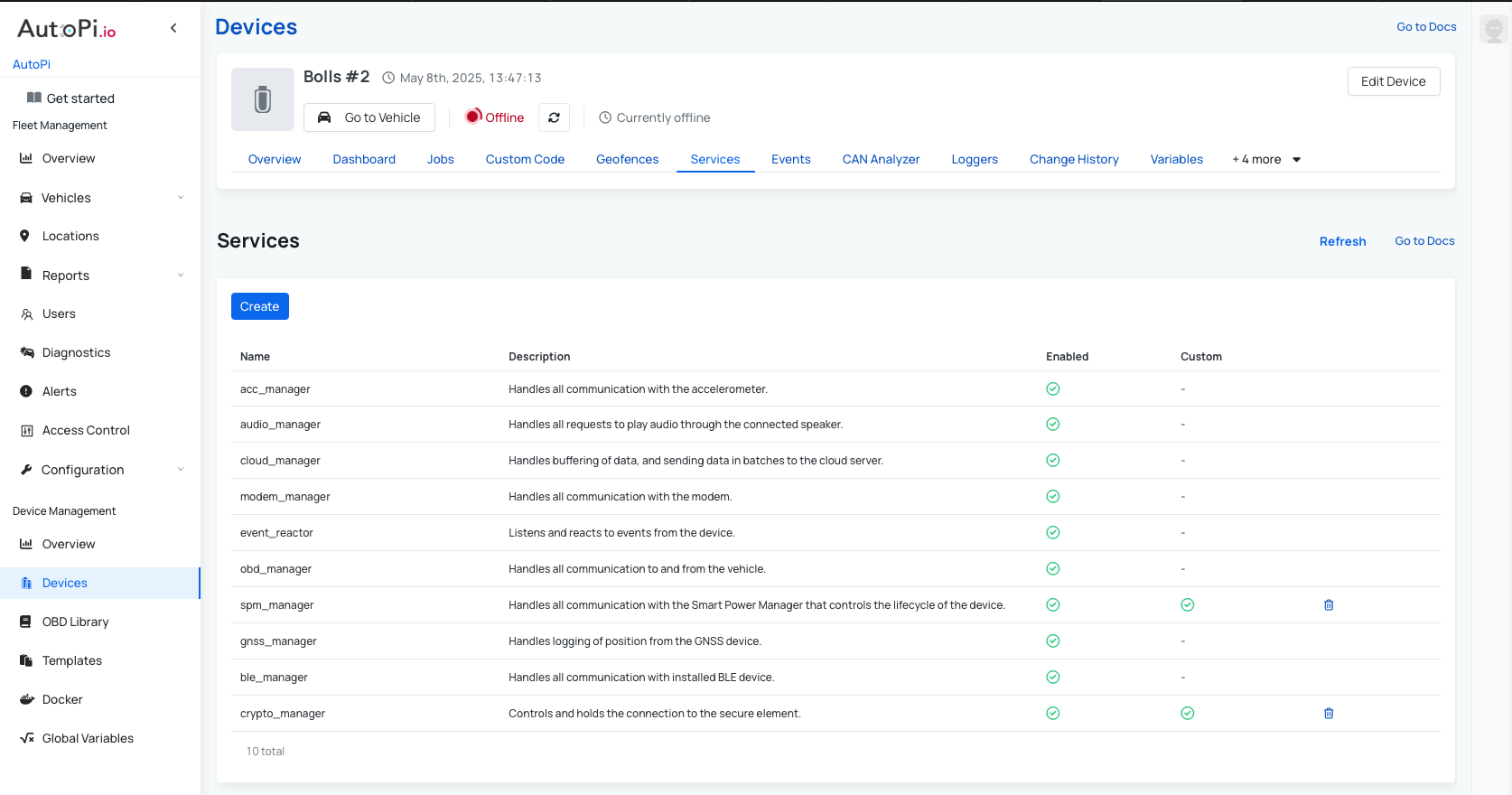
Built-in Services
The following services are available by device type:
| Service | Description | Available On | Core Specs |
|---|---|---|---|
acc_manager | Manages the accelerometer hardware and provides access to motion and orientation data. | AutoPi TMU CM4, AutoPi CAN-FD Pro | acc_manager |
audio_manager | Controls audio output on the device, such as playing sounds or alerts. | AutoPi TMU CM4, AutoPi CAN-FD Pro | audio_manager |
cloud_manager | Handles buffering of data, and sending data in batches to the cloud server. | AutoPi TMU CM4, AutoPi CAN-FD Pro | cloud_manager |
modem_manager | Manages the cellular modem, including connectivity, signal monitoring, and data sessions. | AutoPi TMU CM4, AutoPi CAN-FD Pro | modem_manager |
event_reactor | Listens for internal events fired by other services and triggers configured reactions in response. | AutoPi TMU CM4, AutoPi CAN-FD Pro | event_reactor |
obd_manager | Communicates directly with the STN chip to query vehicle data over the OBD-II interface. | AutoPi TMU CM4 | obd_manager |
spm_manager | Interfaces with the Smart Power Manager (SPM) to handle power states and wake-up logic. | AutoPi TMU CM4, AutoPi CAN-FD Pro | spm_manager |
gnss_manager | Manages the GNSS/GPS module and provides location and positioning data. | AutoPi TMU CM4, AutoPi CAN-FD Pro | gnss_manager |
crypto_manager | Controls and holds the connection to the secure element. | AutoPi TMU CM4, AutoPi CAN-FD Pro | crypto_manager |
can0_manager | Handles communication to and from the vehicle via the SocketCAN channel_1 interface. | AutoPi CAN-FD Pro | can_manager |
can1_manager | Handles communication to and from the vehicle via the SocketCAN channel_2 interface. | AutoPi CAN-FD Pro | can_manager |
disk_housekeeper | Performs file deletion to avoid the disks running full. | AutoPi CAN-FD Pro | disk_housekeeper |
In addition to these built-in services, it is also possible to create fully custom services that run alongside the defaults on device boot, you can read more here: Create Custom Service. Custom services support PIP package requirements, giving you the flexibility to integrate third-party Python libraries as needed.
Configuring a Service
Clicking on any service in the list opens its detail page, which is organized into four tabs:
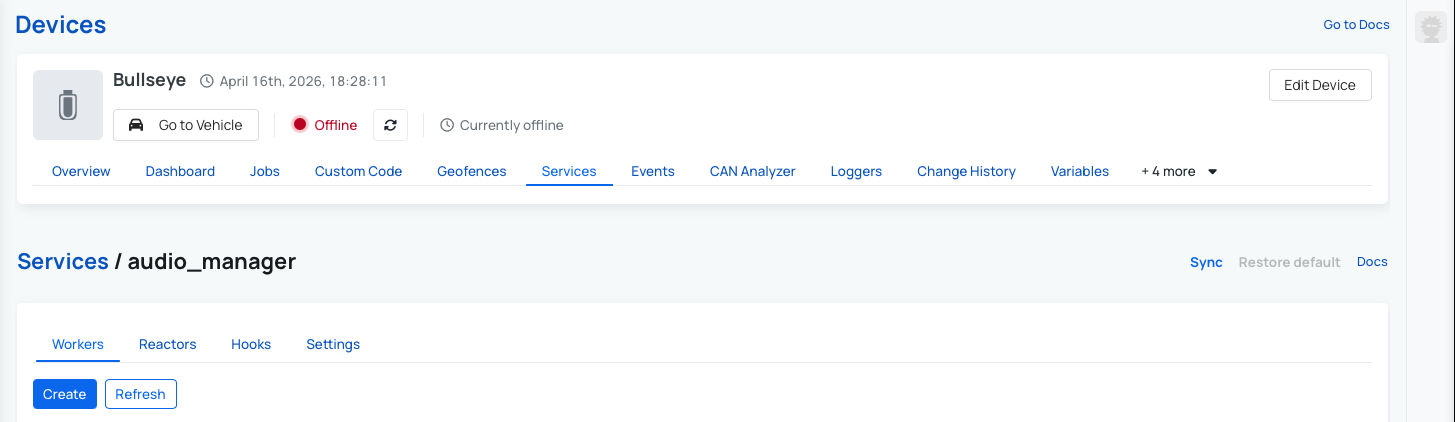
Workers
Workers define workflows that run continuously on the device. Each worker executes a sequence of steps — referred to as a workflow — at a configurable interval and loop count. Workers are the primary mechanism for reading data from hardware, transforming it, and delivering it to a destination.
See the Create Custom Workers guide for a full walkthrough.
Within a service multiple worker threads can run. Each worker is setup to process one or more workflows sequentially for a limited period of time or indefinitely, you can read more here: Workers.
Available options for a worker instance:
| Field | Type | Description | Default Value |
|---|---|---|---|
name | Text | System name to identify the given worker. | - |
delay | Decimal | Initial delay in seconds before starting the worker. No delay if left empty. | - |
interval | Decimal | Pause in seconds between each run. Enter 0 if no pause. | 1 |
loop | Integer | How many runs should the worker do? Enter -1 if infinite. | -1 |
suppress_exceptions | Boolean | Suppress errors/exceptions so that they do not kill the worker thread? | True |
kill_upon_success | Boolean | Kill the worker thread after the first successful run? Successful means that no errors/exceptions occurred. | False |
transactional | Boolean | Ensure that consecutive workflows are processed in an uninterrupted sequence and not potentially mixed with others from other workers? | False |
Reactors
Reactors allow the device to respond to incoming events. Each reactor defines a regex pattern to match against event names, along with one or more actions to execute when a match is found. This makes it straightforward to implement event-driven logic directly on the device.
Reactors can be managed using the reactor.manage command, which provides runtime control over the reactor service.
Supported commands:
reactor.manage reactor list
reactor.manage reactor show <name>
See the Reactors guide for a full walkthrough.
Hooks
Hooks extend the behavior of a worker's workflow by registering custom functions at specific points in the pipeline. When creating a hook, you can select one of the following types:
| Hook Type | Description |
|---|---|
| Handler | The entry point of the workflow. Communicates with the device hardware and produces the initial output. |
| Converter | Transforms the handler output into a more usable format. |
| Trigger | Executes logic based on the result, regardless of whether earlier steps failed. Useful for alerts and events. |
| Filter | Determines whether the data is significant enough to continue processing. Returns a falsy value to halt the workflow. |
| Enricher | Augments the data by appending computed or supplementary values. |
| Returner | Delivers the final result to a destination, such as a file or a cloud endpoint. |
See the Create Custom Workers guide for more detail on how hooks fit into the workflow pipeline. Also we have a guides on how to create a custom returners and triggers to fit into your use case, check them out:
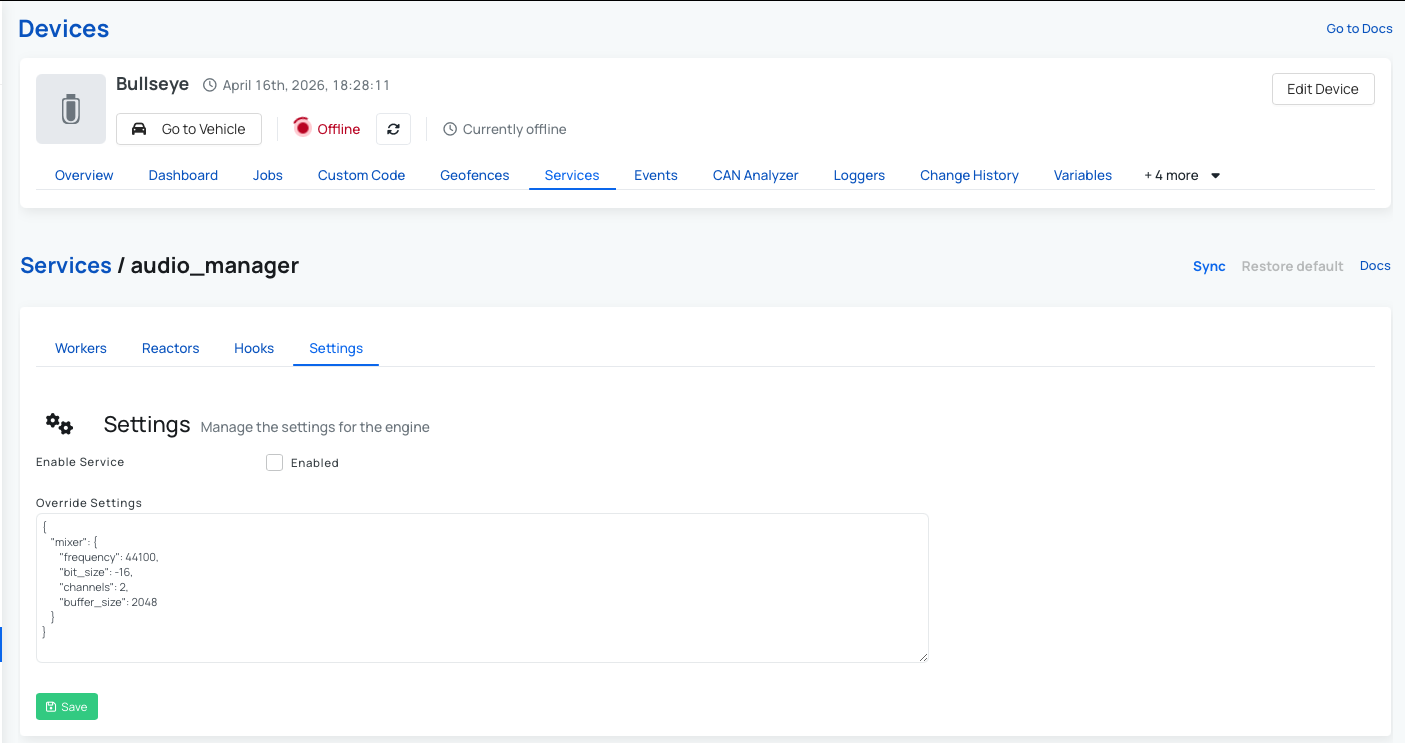
Settings
The Settings tab allows you to adjust the configuration of the service without modifying its code. Settings are passed as a JSON object and are accessible from within the service at runtime, making it easy to tune behavior per environment or deployment.
Workflows
A worker can process one or more workflows in a sequence. A worflow consists of a number of steps. The primary step of a workflow is called handler and is always required. Then more steps may occur both before and/or after, and are not normally required. At present, there are two built-in workflows. Below is an overview of the steps in the first workflow called simple:
handler | → | trigger | → | filter | → | returner |
|---|
And secondly the extended workflow:
validator | → | handler | → | converter | → | trigger | → | filter | → | enricher | → | returner |
|---|
Each step in a workflow has a defined area of responsibility:
| Step | Description | Example |
|---|---|---|
validator | Validates the request and decide whether or not to proceed to the handler. | - |
handler | Produces a result typically by interacting with an external device or system. | See |
converter | Converts the result returned from the handler into a more usable format. | See |
trigger | Decides whether to trigger an event based on the result. | See |
filter | Filters out result if insignificant. | See |
enricher | Enriches result with additional information. Could for example be calculations. | See |
returner | Returns the final result to an external system or service. | See |
 Shop AutoPi devices
 Compare devices
 Contact sales
 Contact support