Create Custom Triggers


This guide explains how to create a custom trigger for an AutoPi service. The example used here is a trigger that plays a beep sound when the vehicle speed reaches or exceeds 50 km/h.
Service triggers are distinct from Cloud triggers. Service triggers run on the device and respond to data produced by a handler — for example by emitting events or playing audio. Cloud triggers, by contrast, respond to events emitted by the device and execute on the server side.
- Create a custom code module named my_triggers with the type Execution. Navigate to Device > Custom Code:
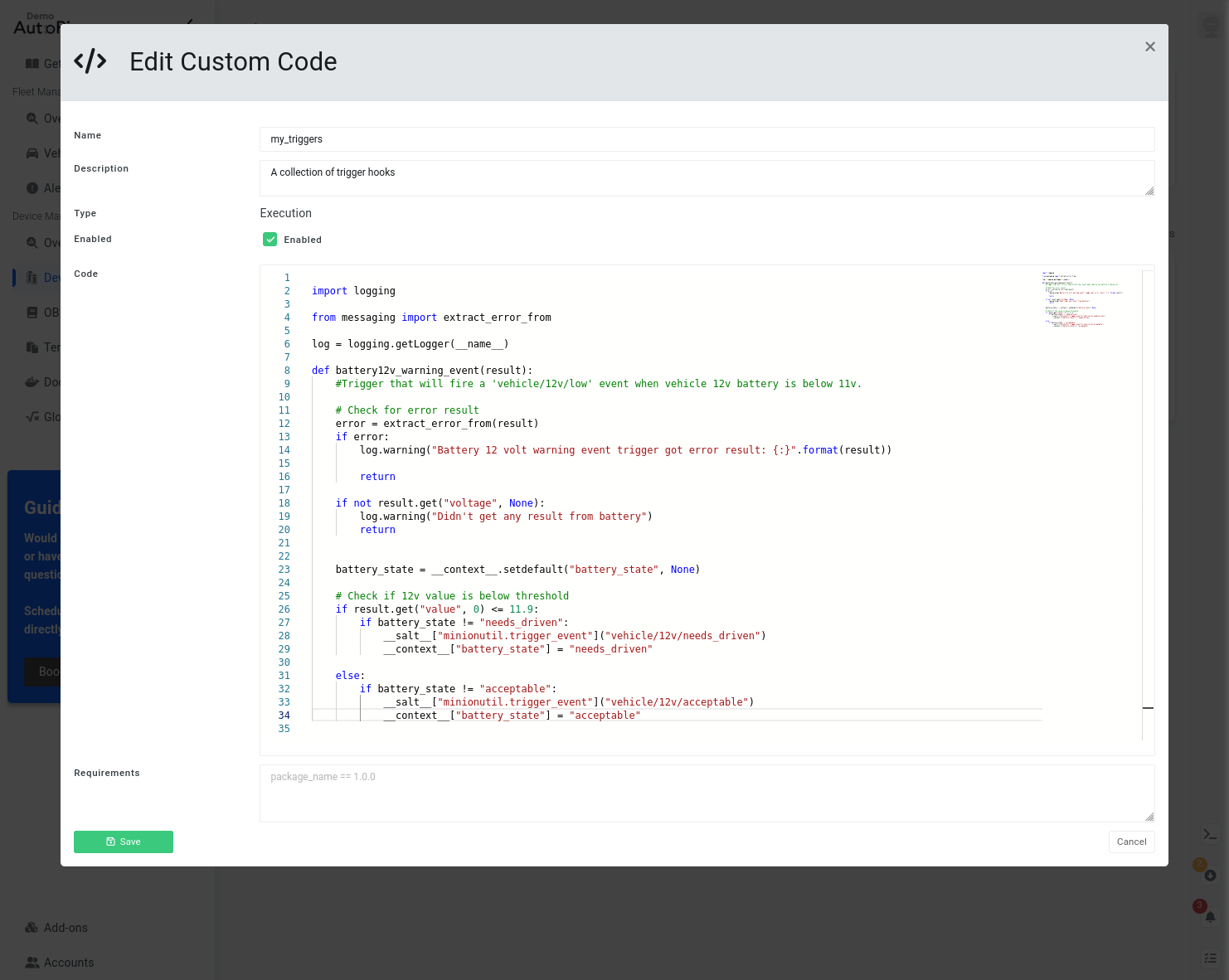
Here is the complete code:
import logging

from messaging import extract_error_from

log = logging.getLogger(__name__)

def speed_warning_beep(result):
    """
    Trigger that will play a warning beep sound when vehicle speed exceeds value of 50.
    """

    # Check for error result
    error = extract_error_from(result)
    if error:
        log.warning("Speed warning beep trigger got error result: {:}".format(result))

        return

    # Check if speed value is above threshold
    if result.get("value", 0) >= 50:

        # Only play sound when threshold value is exceeded
        if not __context__.get("speed_warning_beep", False):
            __salt__["cmd.run"]("aplay /opt/autopi/audio/sound/beep.wav")

            # Set flag in context
            __context__["speed_warning_beep"] = True

    # Speed value is below threshold
    else:

        # Reset flag in context
        __context__["speed_warning_beep"] = False
This function checks whether the result contains a value key with a value of 50 or higher. When the threshold is first crossed, it plays a beep sound. A context flag is used to ensure the sound does not play repeatedly while the vehicle remains above the threshold. When the speed drops below 50 km/h, the flag is reset.
Once the code is ready, sync the changes to the device by clicking Sync. If the device is offline, the changes will be applied automatically on next start-up.
- Register the trigger as a hook on the obd_manager service. Navigate to Device > Services > obd_manager > Hooks > Create:
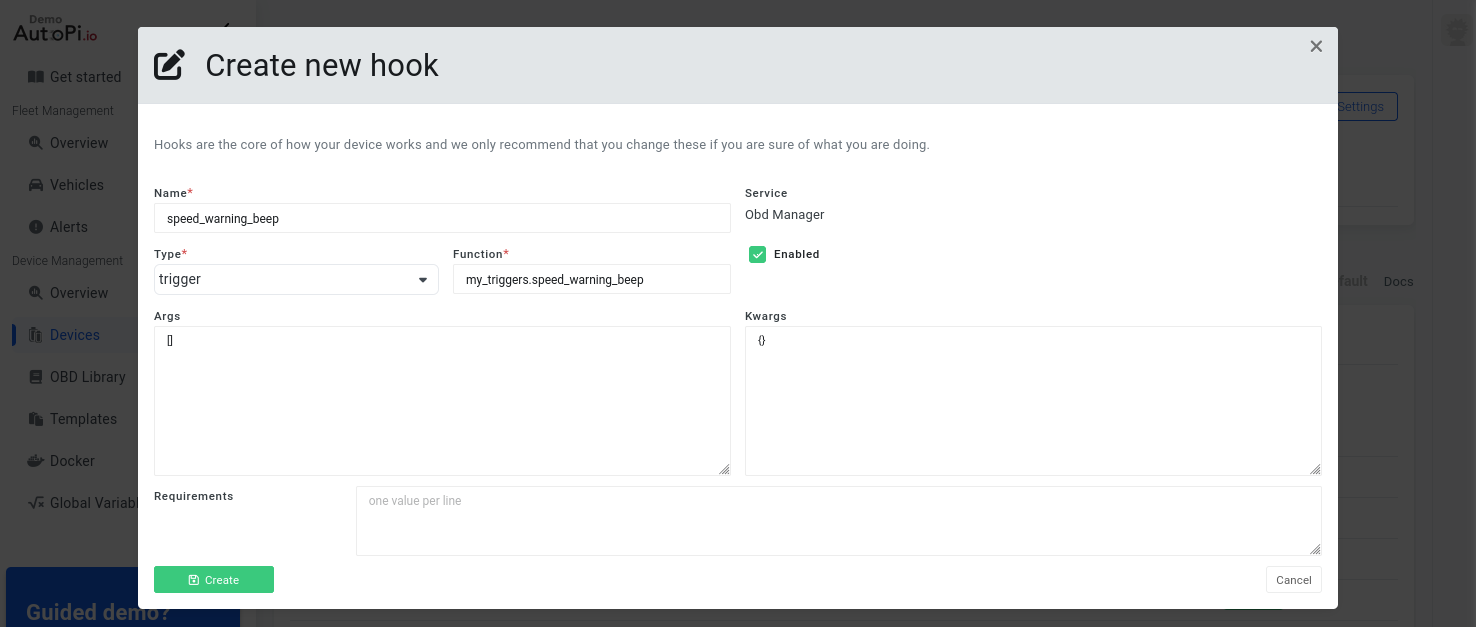
- Add the registered trigger hook to a worker workflow. Navigate to Device > Services > obd_manager > Workers > Create:
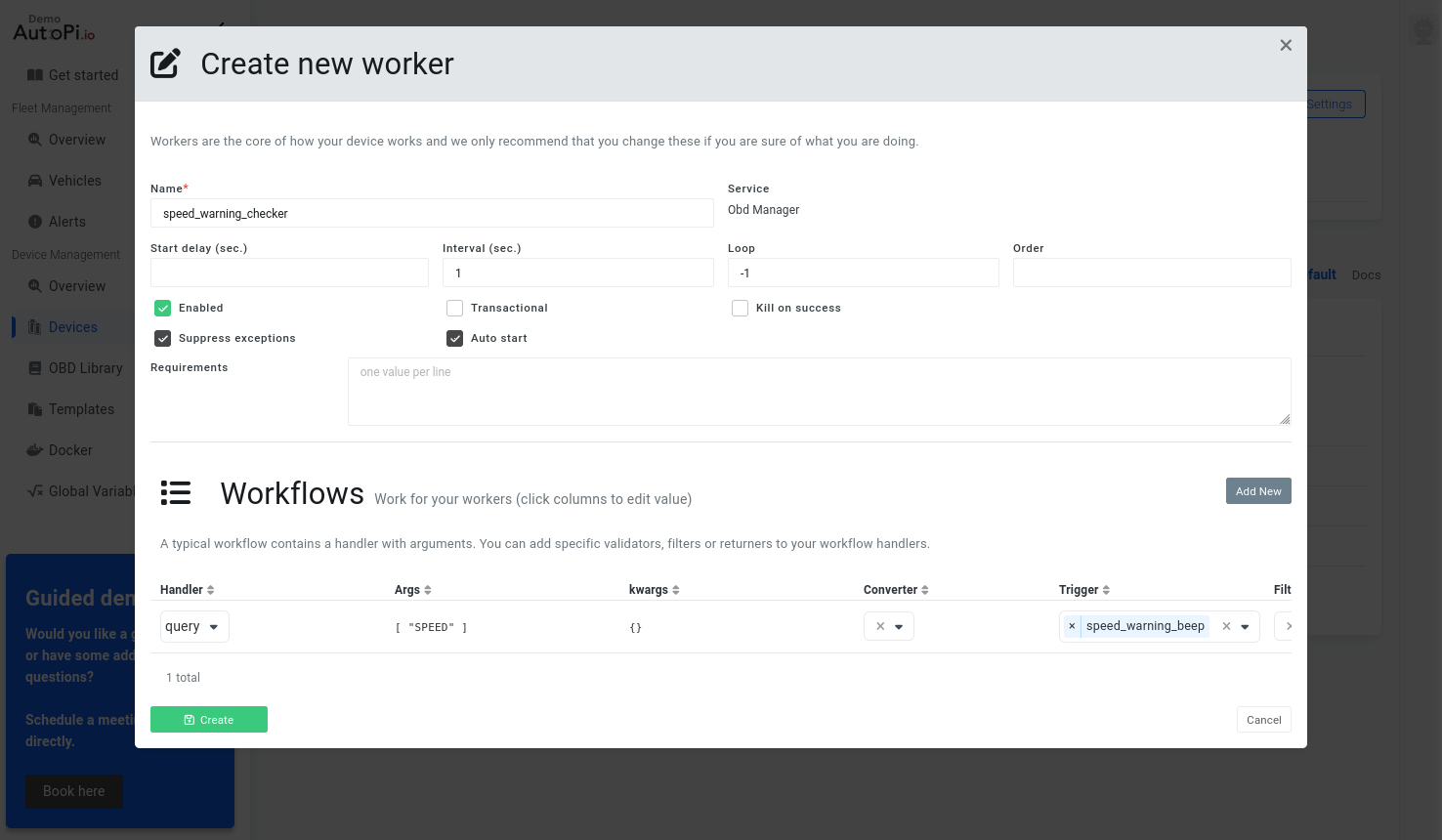
Once the changes have been successfully synced to the device, it will begin monitoring vehicle speed and play a single beep when 50 km/h is exceeded.
The query handler with a SPEED argument is supported on most internal combustion engine (ICE) vehicles. For electric vehicles, a different approach may be required. Consult your vehicle's make and model forums for guidance.
Check the device logs for warnings or errors. See this guide for instructions on retrieving logs from your device.
Firing an Event Instead of a Beep
Events can also be fired from custom code modules. To trigger one or more actions based on a condition — in this case, exceeding 50 km/h — add the following function to the my_triggers module:
def speed_warning_event(result):
    """
    Trigger that will fire a 'vehicle/speeding' event when vehicle speed exceeds value of 50.
    """

    # Check for error result
    error = extract_error_from(result)
    if error:
        log.warning("Speed warning event trigger got error result: {:}".format(result))

        return

    # Check if speed value is above threshold
    if result.get("value", 0) >= 50:

        # Only play sound when threshold value is exceeded
        if not __context__.get("speed_warning_event", False):
            __salt__["event.fire"]({}, "vehicle/speeding")

            # Set flag in context
            __context__["speed_warning_event"] = True

    # Speed value is below threshold
    else:

        # Reset flag in context
        __context__["speed_warning_event"] = False
This function follows the same logic as the previous example, but fires an internal event instead of playing a sound. The event will be sent to the event_reactor service for further processing and will also appear in the Cloud under Device > Events.
 Shop AutoPi devices
 Compare devices
 Contact sales
 Contact support