Jobs
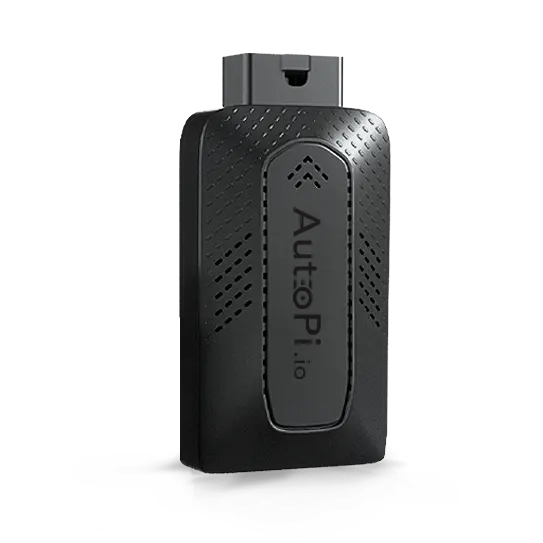


The Jobs feature in the AutoPi Cloud is used to schedule and execute commands on a device automatically. It allows you to run tasks at defined intervals or specific times without manual interaction.
Jobs are part of the device management layer in AutoPi Cloud, which provides centralized control over connected devices and their behavior.
Overview
A Cloud Job consists of:
- A function (command to execute).
- A schedule (when to run it).
- A returner (where the result is sent).
Jobs are executed on the device and can return results back to:
- AutoPi Cloud.
- External systems (via returners).
Jobs are commonly used for:
- Periodic data collection.
- Health monitoring.
- Diagnostics.
- Automation of workflows.
Key Concepts
Function
Defines what the job does.
Examples:
rpi.stats
metrics.collect
obd.query rpm
These correspond to AutoPi Core modules running on the device.
Schedule (Cron)
Jobs use cron expressions to define execution timing. Cron is a standard Linux scheduling system used to run tasks at specific intervals.
Example schedules:
| Cron Expression | Meaning |
|---|---|
* * * * * | Every minute |
*/5 * * * * | Every 5 minutes |
0 * * * * | Every hour |
0 0 * * * | Daily at midnight |
Returner
Defines where the output is sent.
Typical options:
cloud→ stored in AutoPi Cloud.- Custom returners → external systems (e.g. APIs, storage).
Interface Overview
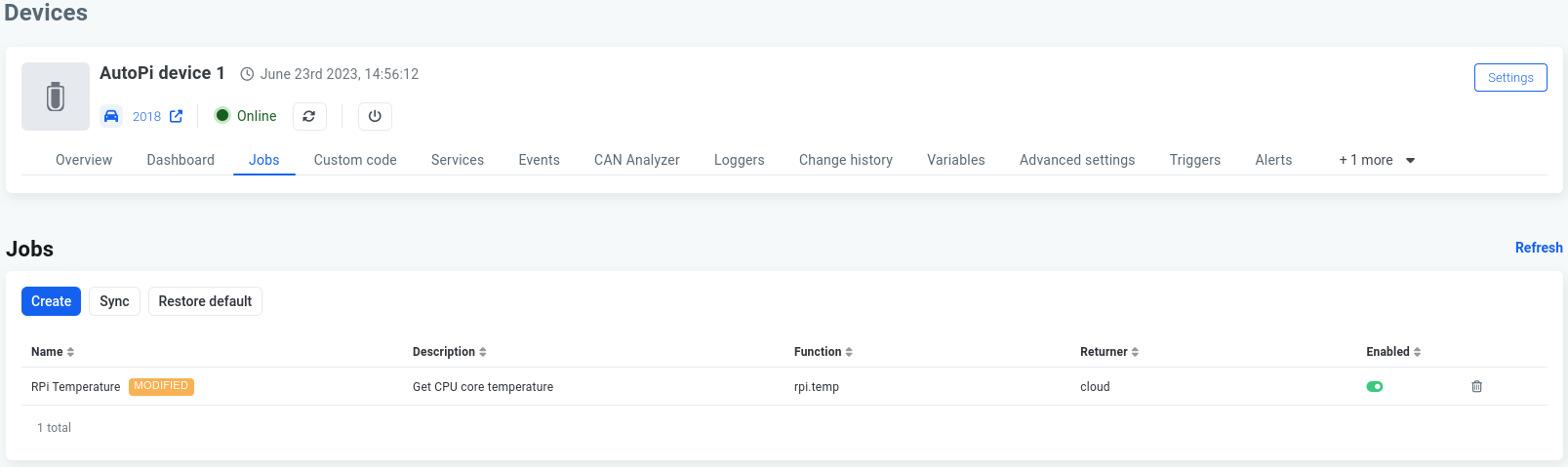
The Jobs page lists all configured jobs for a device.
Each job includes:
| Field | Description |
|---|---|
| Name | Job identifier |
| Description | Optional explanation |
| Function | Command executed |
| Returner | Output destination |
| Enabled | Whether job is active |
Creating a Job
Step-by-step:
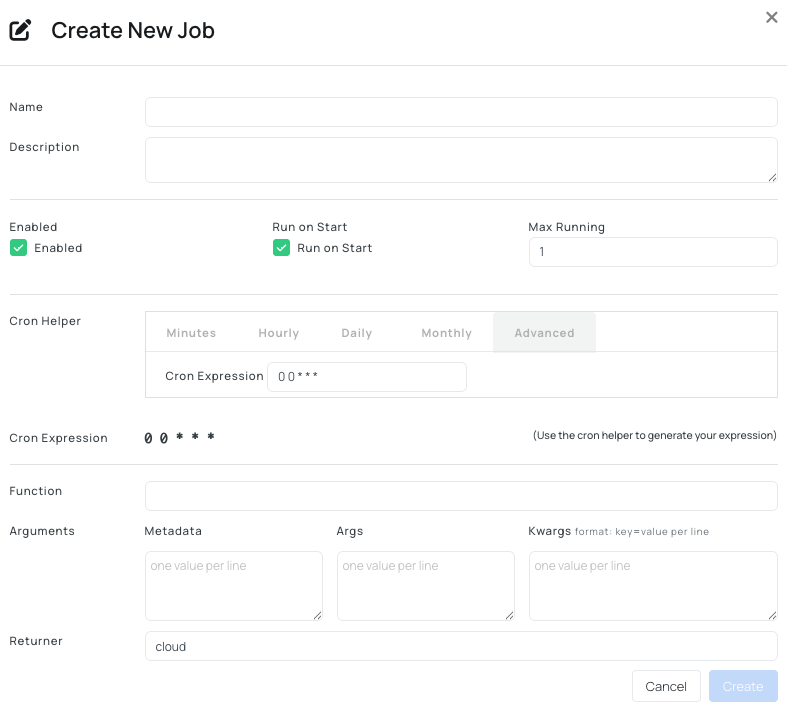
- Navigate to Device → Jobs.
- Click Create.
- Configure:
- Name.
- Description (optional).
- Enabled (or Disabled).
- Run on Start (or Not Run on Start).
- Max Running.
- Schedule (cron).
- Function.
- Arguments (optional).
- Returner.
- Create the job.
Example Jobs
-
Collecting system metrics - this job runs every 5 minutes and uploads system metrics.
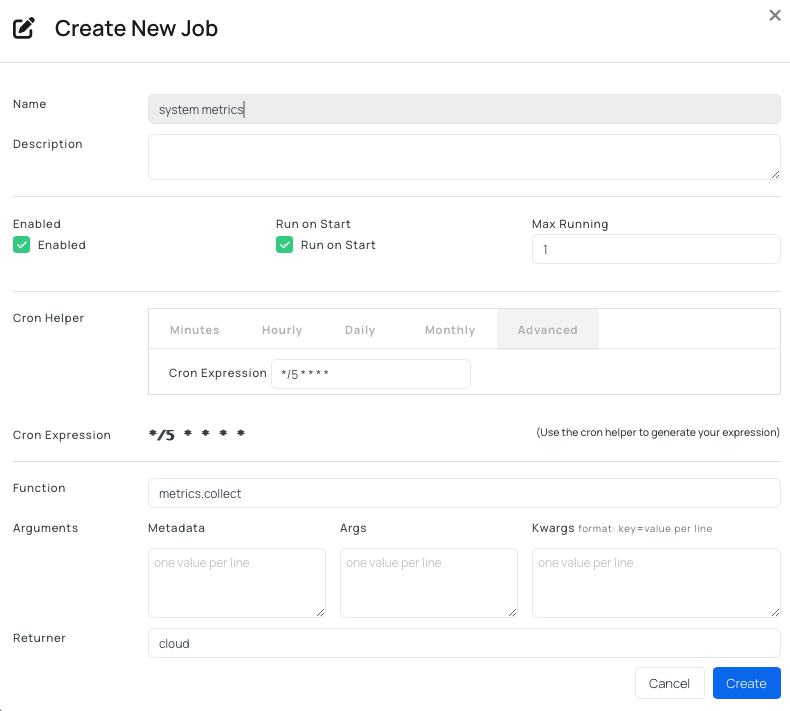
Function used:
metrics.collectSchedule (to run every 5 minutes):
*/5 * * * *. -
Log device stats - this job runs every hour and uploads rpi stats.
Function used:
rpi.statsSchedule (to run every hour):
0 * * * *. -
Query vehicle data - this job runs every minute to fetch engine RPM.
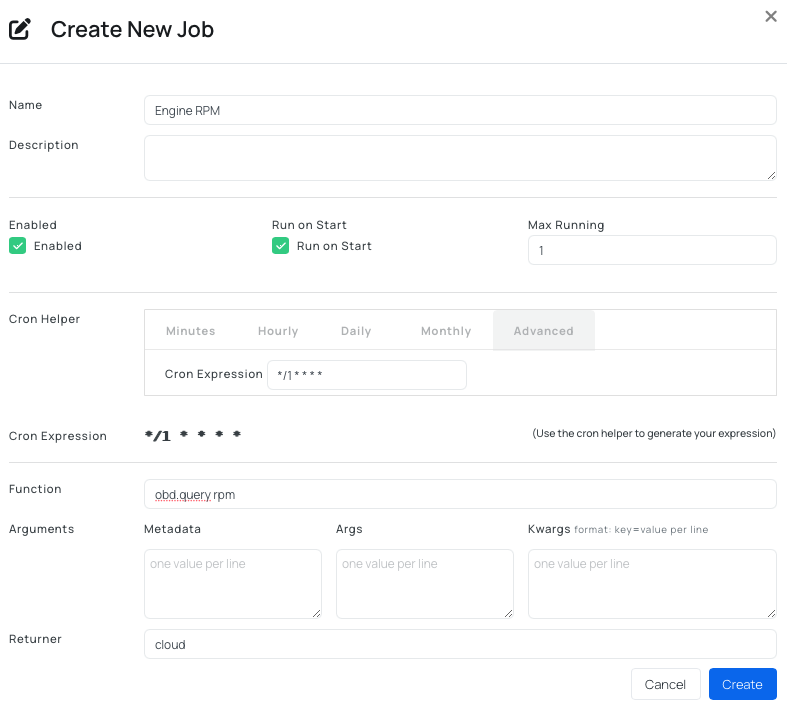
Function used:
obd.query rpmSchedule (to run every minute):
*/1 * * * *.
Typical Use Cases
- Periodic Data Collection:
- Vehicle data (RPM, speed, battery)
- System metrics (CPU, memory, network)
- Device Monitoring:
- Connectivity checks
- Signal strength logging
- Hardware status tracking
- Automation:
- Trigger actions at intervals
- Run diagnostics automatically
- Synchronize data with external systems
- Fleet Operations
- Apply consistent behavior across devices
- Standardize data collection intervals
- Reduce manual interaction.
API Integration
Jobs can be managed via the AutoPi REST API.
This enables:
- Automated provisioning.
- CI/CD integration.
- Bulk job deployment across fleets.
The Cloud UI and API provide the same functionality. You can read more about how to use API here: Getting started with API.
Summary
Cloud Jobs provide a way to:
- Automate command execution on devices
- Collect data at defined intervals
- Integrate device behavior into larger systems
They are a core building block for scalable device automation and data collection in AutoPi Cloud.
Best Practices
- Use clear naming conventions.
- Avoid overly frequent schedules (resource impact).
- Validate commands manually before scheduling.
- Use returners appropriate for your data flow.
- Monitor job results and logs.
Common Issues
- Job runs but returns no data.
- Incorrect function.
- ECU not responding (for OBD commands).
- Job does not run.
- Invalid cron expression.
- Job not enabled.
- Device offline.
- High resource usage.
- Too frequent execution.
- Heavy commands (e.g. CAN dump).
Best Practice Workflow
- Test command manually (terminal or CAN Analyzer).
- Define job function.
- Set appropriate schedule.
- Configure returner.
- Enable job.
- Monitor output.
 Shop AutoPi devices
 Compare devices
 Contact sales
 Contact support