Create Custom Returners
This guide is applicable to the following device / devices:


TMU CM4
CAN-FD Pro
CAN-FD Pro +IP67 casing
This guide demonstrates how to redirect accelerometer data to a file on disk using a custom returner. The same approach applies to any data type, including OBD, GPS, and others.
- Create a custom code module of type Returner. Navigate to Device > Custom Code:
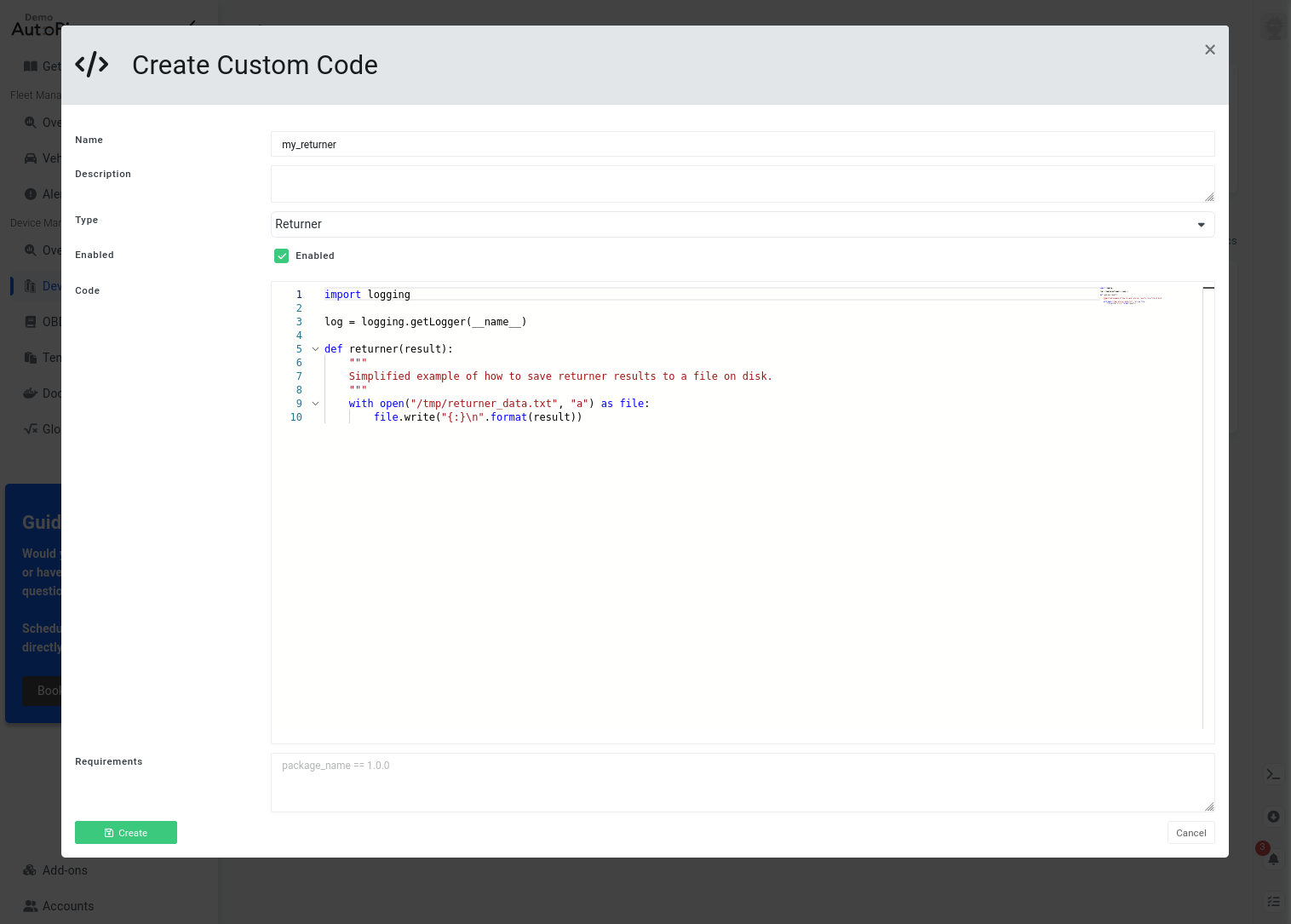
The default implementation appends results to /tmp/returner_data.txt. This can be replaced with any storage backend or external integration.
- Register the returner as a hook on the acc_manager service so it can be used in worker workflows. Navigate to Device > Services > acc_manager > Hooks > Create:
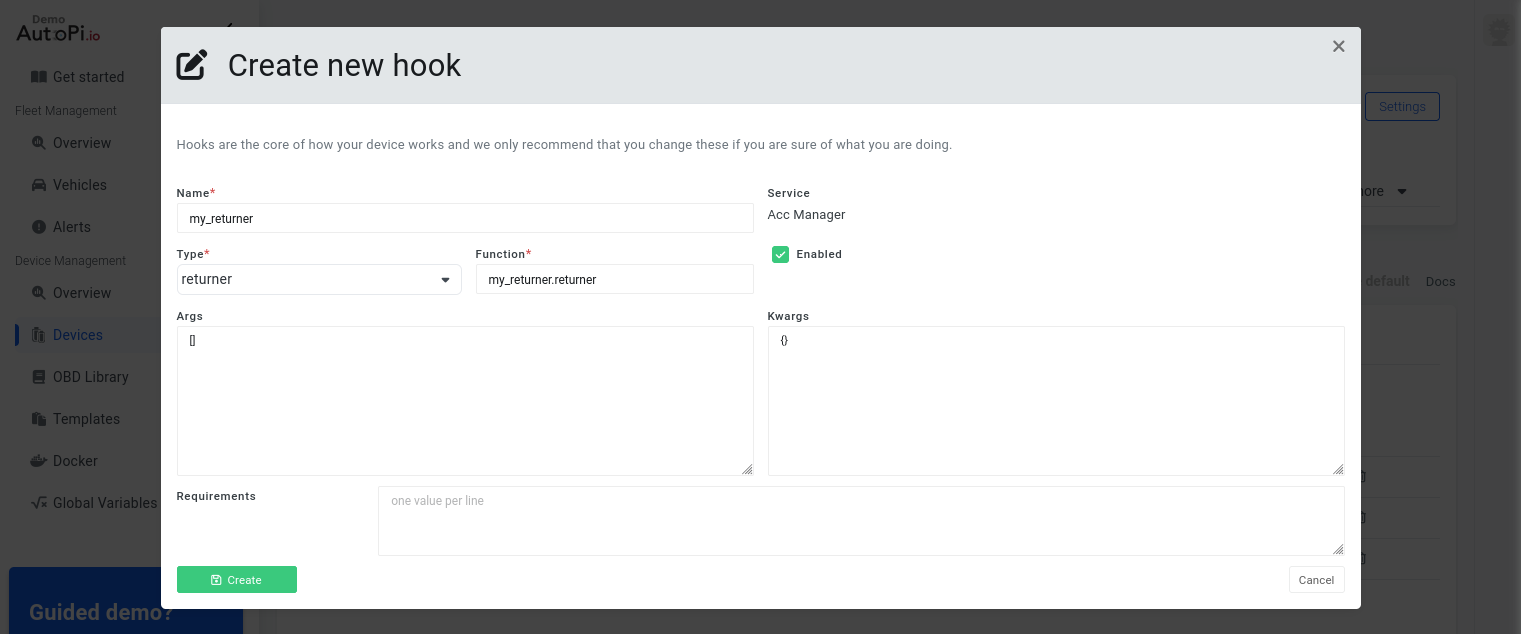
- Apply the registered hook to the xyz_logger worker's workflow. Navigate to Device > Services > acc_manager > Workers > xyz_logger and change the returner from cloud to my_returner:
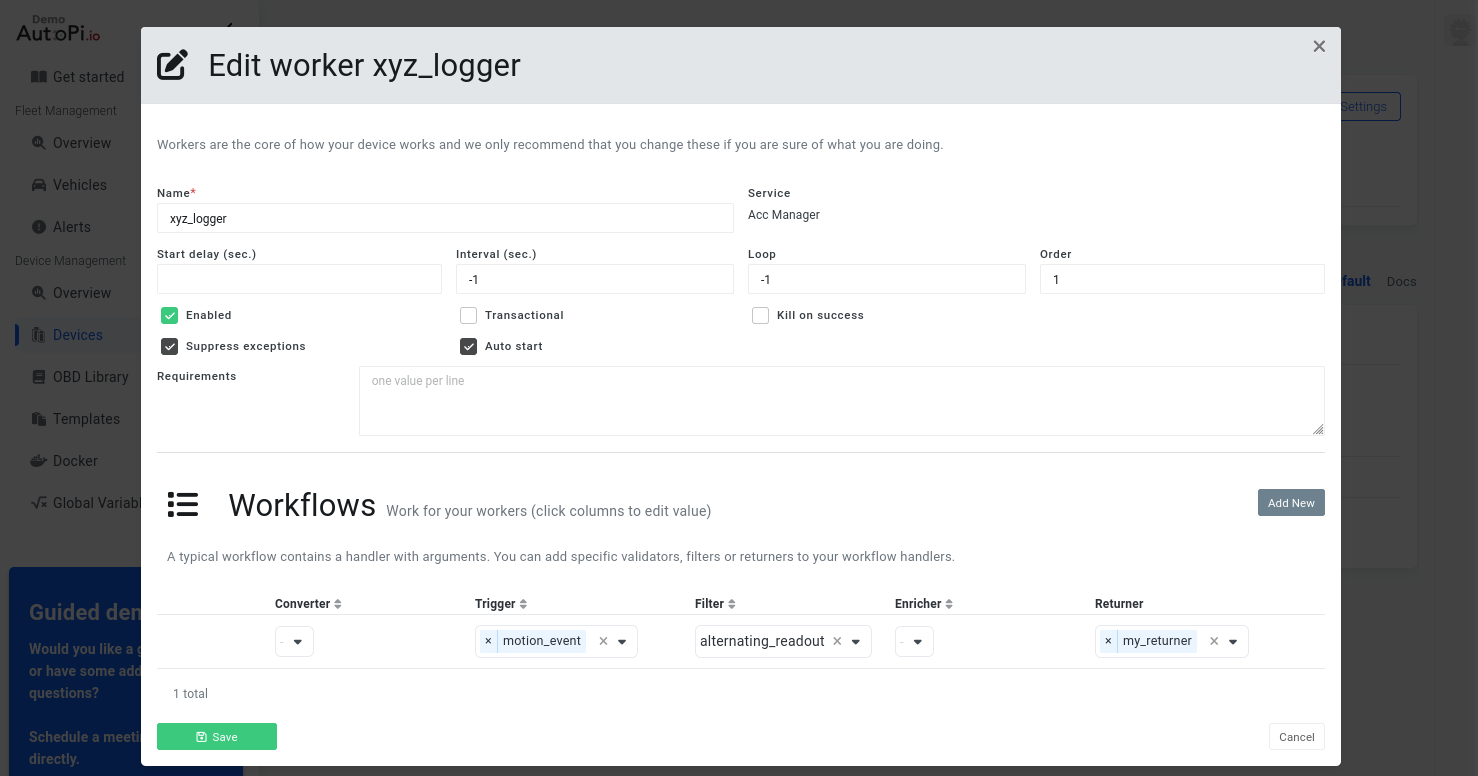
Once the changes have been successfully synced to the device, it will begin logging accelerometer data to the specified file.
To monitor the output in real time over SSH, run the following command:
When logged onto the device using SSH, it is possible to monitor the data in realtime with the command:
tail -f /tmp/returner_data.txt
 Shop AutoPi devices
 Compare devices
 Contact sales
 Contact support