Jumpers
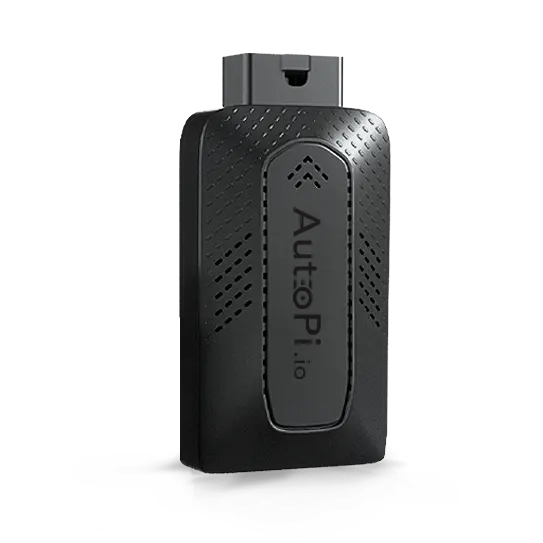


This guide will walk you through understanding and using the FORCE 5V jumper on your AutoPi device. You'll learn what jumpers are, how they override the Smart Power Manager (SPM), when to install them for development work, and how to properly install and remove them while maintaining device safety.
A jumper is a small electrical connector that shorts two header pins on the device's circuit board. On AutoPi devices, the FORCE 5V jumper disables the Smart Power Manager and forces the Raspberry Pi compute module to receive constant 5V power, independent of vehicle ignition state or power management controls.
Important: the jumper is intended exclusively for development purposes. It bypasses critical power management and battery protection mechanisms and should never be used in production environments.
Power Architecture Context
AutoPi devices receive power from the vehicle battery through the OBD-II interface. Under normal operation, power flows through the Smart Power Manager (SPM) before reaching the Raspberry Pi compute module.
Normal Power Path
Vehicle Battery -> Smart Power Manager (SPM) -> 5V Regulator -> Raspberry Pi Compute Module
The SPM is responsible for:
- Ignition state detection
- Sleep and wake transitions
- Battery protection
- Power state management.
Power Path with Jumper Installed
When the jumper is installed, the Smart Power Manager is bypassed:
Vehicle Battery -> 5V Regulator -> Raspberry Pi Compute Module
In this configuration, the Raspberry Pi receives constant power, independent of ignition state or SPM control logic.
Installing the Jumper
To use a jumper, you will need to open up your AutoPi device. On the inside of the device, you'll see two boards connected to each other. One of them being the Raspberry Pi and the other - the AutoPi board. On the AutoPi board, you should be able to see two pins on one of the four corners, next to which is written 'FORCE 5V'.
To see how you can attach a jumper to your specific device view the following pages for:
The FORCE 5V jumper forces the device to maintain a constant 5 V supply to the Raspberry Pi compute module. Installing the jumper electrically bypasses the SPM power gating circuitry.
-
Recommended - Use the jumper when:
- SSH sessions are interrupted by device sleep.
- Running long debugging sessions.
- Developing new system services or kernel modules.
- Investigating boot-time issues.
-
Do not leave the jumper installed in production environments because:
- Battery protection mechanisms are bypassed.
- Sleep mode is disabled.
- Vehicle battery drain may occur.
Required Component
A standard 2.54 mm (0.1 inch) jumper cap.
Locating the Jumper Pins
To locate the jumper pins:
- Open the AutoPi enclosure.
- Inside the enclosure there are typically two stacked boards:
- Raspberry Pi Compute Module
- AutoPi carrier board
- Locate the two-pin header labeled
FORCE 5Von the AutoPi board. Here is an example from our AutoPi CAN-FD Pro device installed inside the IP67 casing: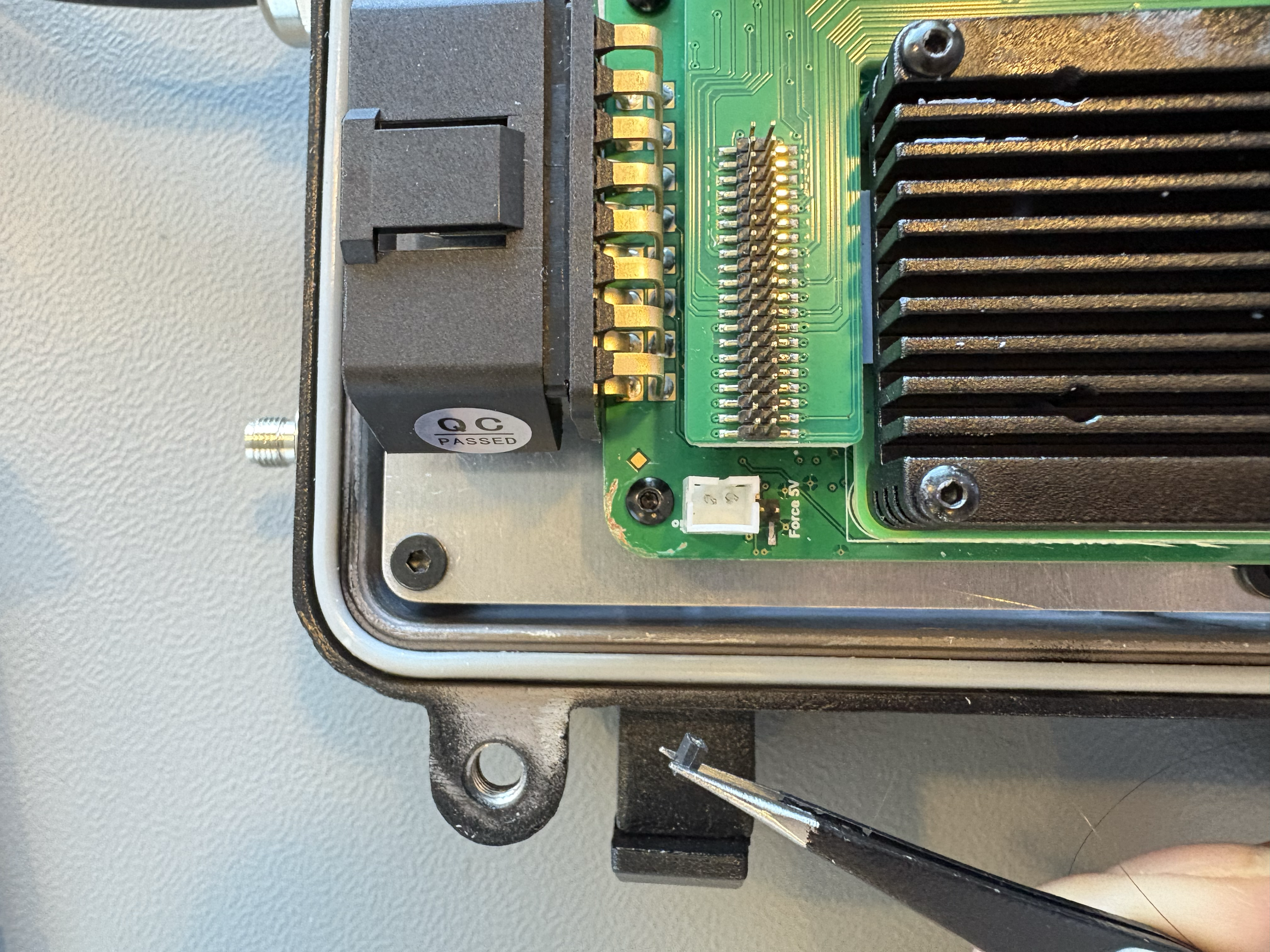
The exact location may vary slightly depending on device model.
Installation Procedure
- Power off the AutoPi device.
- Open the device enclosure.
- Locate the header labeled FORCE 5V.
- Place the jumper cap across the two pins.
- Reassemble the enclosure.
- Power the AutoPi device again.
Effects of Installing the Jumper
When the jumper is installed:
- Smart Power Manager power control is disabled.
- The Raspberry Pi receives continuous power.
- Automatic sleep and hibernation are disabled.
- Ignition signals no longer control the device power state.
This mode ensures the system remains powered during development or debugging sessions.
Removing the Jumper
To restore normal power management behavior:
- Power down the AutoPi device.
- Remove the jumper cap.
- Close the enclosure.
- Reconnect power.
After removal, the Smart Power Manager will again control power states.
Side Effects
Because the SPM is bypassed, several protections and behaviors are disabled.
Potential side effects include:
- The device will not enter sleep mode.
- The device may drain the vehicle battery.
- Ignition state changes will not affect power state.
For this reason, the jumper should not be used in production deployments.
Summary
| Feature | Normal Mode | Jumper Installed |
|---|---|---|
| Smart Power Manager active | Yes | No |
| Sleep mode | Enabled | Disabled |
| Ignition control | Yes | No |
| Continuous power | No | Yes |
| Recommended for production | Yes | No |
The FORCE 5V jumper is a hardware override that disables the Smart Power Manager and supplies constant power to the Raspberry Pi compute module. This mode is useful for development and debugging but should not be used during normal device operation.
 Shop AutoPi devices
 Compare devices
 Contact sales
 Contact support