Variables


The Global Variables feature allows Account Administrators to define custom key-value pairs that can be reused across templates. This makes it easy to apply consistent configurations such as stream IDs, API keys, or environment-specific values without manually updating each template or device.
When needed, global variables can be overridden on individual devices via the Variables page on the device, providing flexibility where device-specific values are required.
Global Variables are available only to users with Account Administrator permission. You can learn more about permissions in AutoPi Cloud here:
Accounts permissions
Even without administrator permissions, variables can always be viewed on a specific device under the Variables tab.
What Are Variables?
Variables are reusable key-value pairs that can be referenced inside templates. They function as keyword replacements, meaning their values are dynamically injected when a template is applied.
You can read more about how to use: Global Variables.
You can read more about how to set up templates: Templates.
Common Use Cases
- Storing an
API_KEYfor an external service and reusing it across multiple templates. - Defining unique stream IDs or identifiers once and referencing them everywhere.
- Keeping templates generic while injecting device- or account-specific values.
Using variables saves time, reduces configuration errors, and ensures consistency across devices.
How to Create Device Variables
To create or manage variables on a specific device:
-
Navigate to the Device and open the Variables tab.
-
Click Create.
-
Enter the following details:
- Key – The variable name (for example,
API_KEY). - Value – The value assigned to the variable.
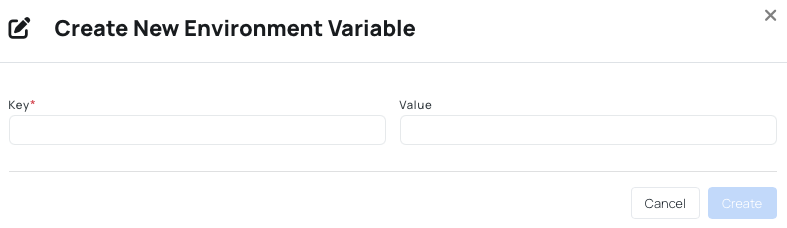
- Key – The variable name (for example,
-
Click Save.
The new variable will now appear in the variables table for that device.
How to Use Global and Device Variables
Example of a Global Variable
AutoPi Cloud includes several default environment variables. One example is the device Unit ID:
AUTOPI_UNIT_ID– Holds the unique device unit ID- Format:
00000000-0000-0000-0000-000000000000
- Format:
When applying templates:
- Global variables can be used as placeholders.
- These placeholders are replaced with the defined values at runtime.
- Variables are referenced using the following format:
$AUTOPI_UNIT_ID
Once applied, environment variables are synced to the device and are available to any custom service. This allows templates and services to remain generic while values are injected dynamically.
Device Variables
In some scenarios, a global variable may need to be overridden for a specific device. When this happens, the variable becomes a Device Variable for that device only.
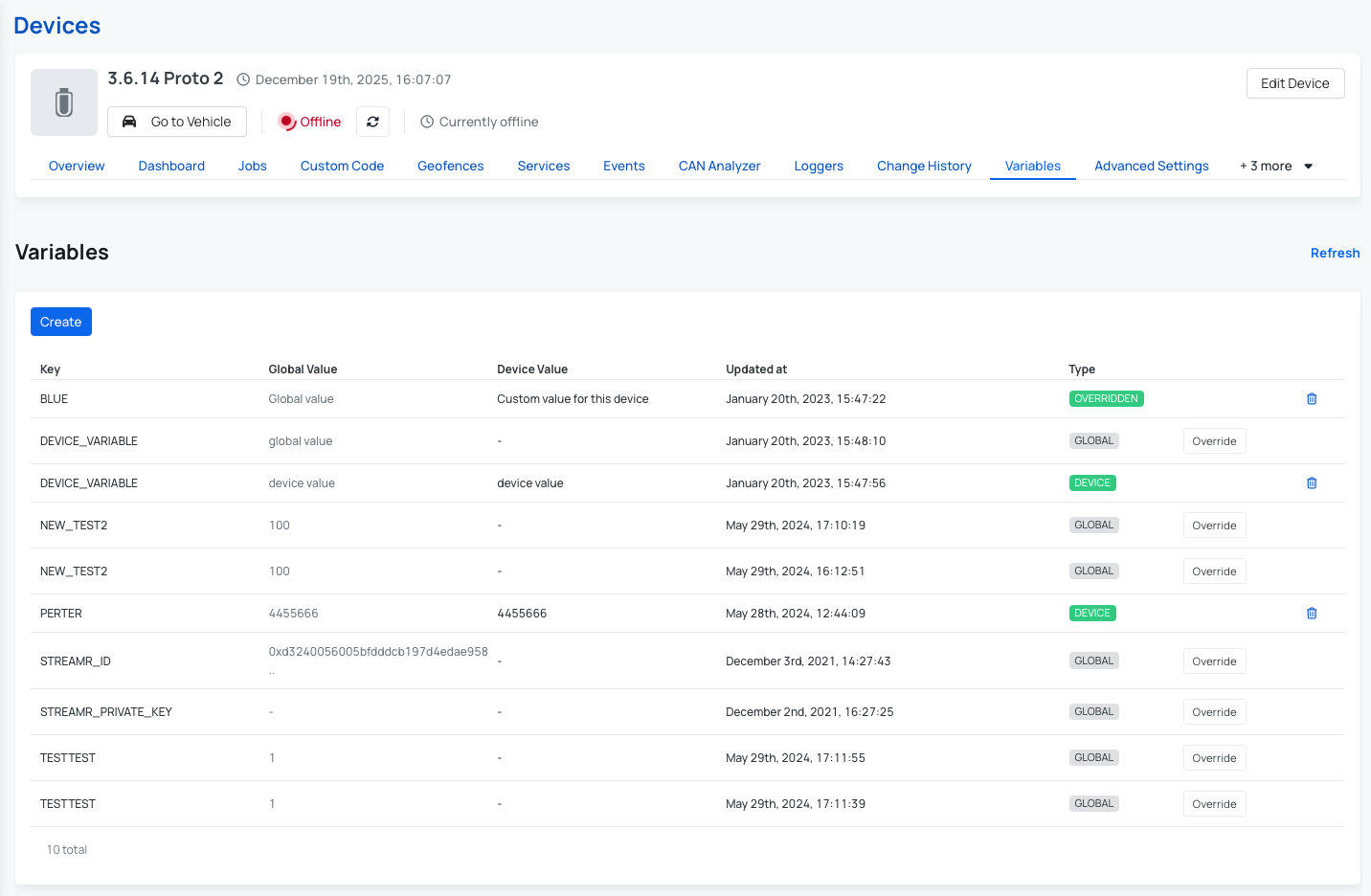
Example:
- Global API key =
Office123. - Device override for Device A =
Home456.
To override a variable:
- Navigate to Device -> Variables.
- Find the variable you want to override.
- Click "Override" button.
- Edit the value as needed and click Save.
The table will now show both the global value and the device-specific override.
 Buy AutoPi device
 Compare all AutoPi devices
 Contact our sales team
 Contact our support team