Device Alerts


The Device Alerts page is a centralized view for monitoring all active alerts related to a specific device. It helps you quickly identify issues, understand their severity, and decide what action, if any, is required.
In addition to Device Alerts, AutoPi also provides alerting at other levels:
These can be used as complementary or alternative alerting mechanisms, depending on whether you want to monitor individual devices, vehicles, or your entire fleet.
Interacting with Device Alerts
View Alert Details
To see more information about a specific alert:
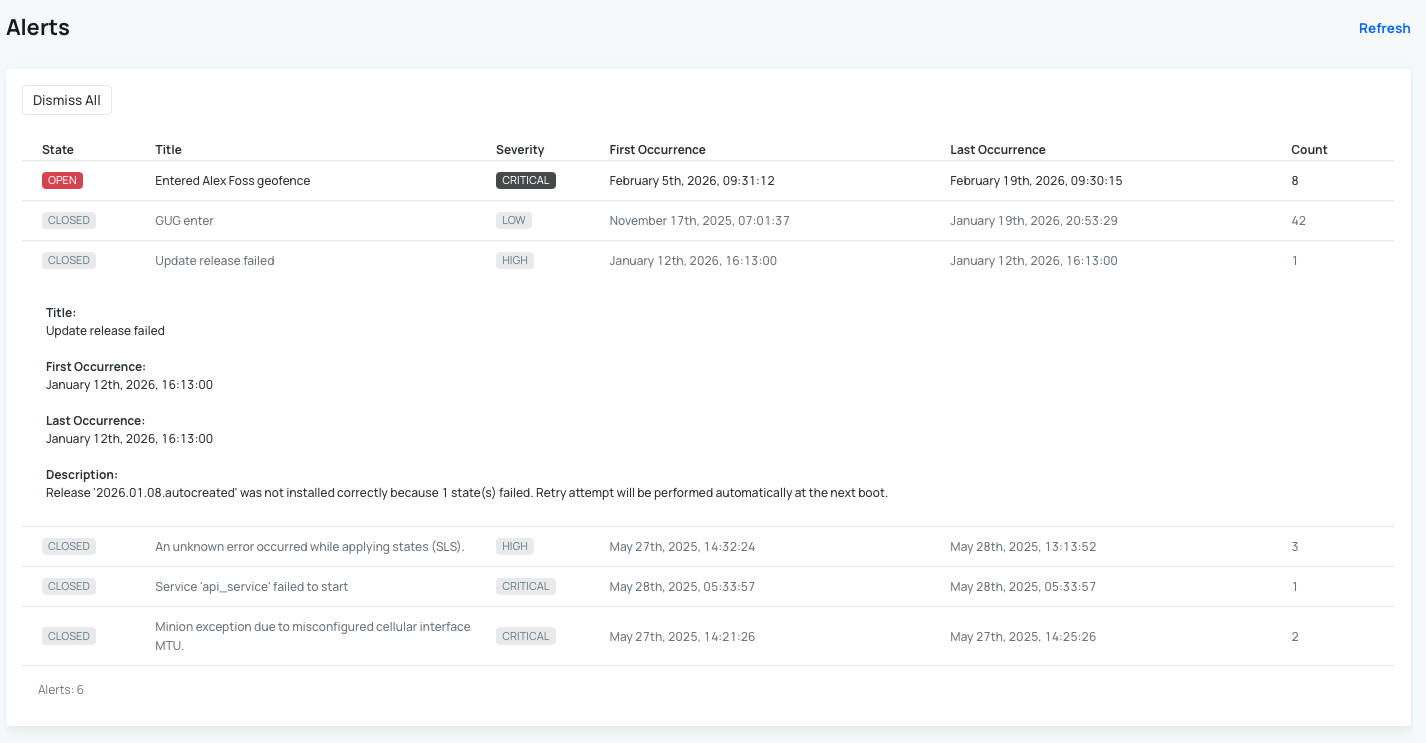
- Click on the alert row in the table to expand it.
- This reveals additional technical and contextual details related to the alert.
View Alert History
Each alert includes historical information to help you understand its behavior over time, including:
- First Occurence - the first time the alert was triggered.
- Last Occurence - the most recent occurrence.
- Count - the total number of times it was triggered between the first and last occurrence.
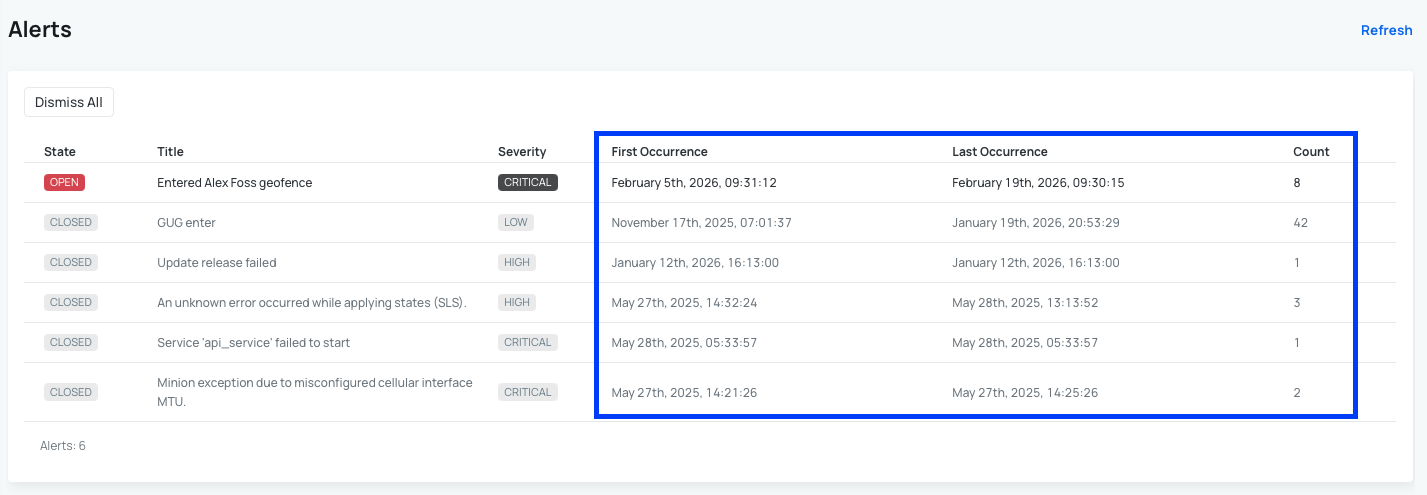
This makes it easier to identify recurring or persistent issues.
Alert Severity Levels
Alerts are categorized by severity so you can prioritize your response:
- Critical – requires immediate attention.
- High – important but not urgent.
- Medium – should be monitored.
- Low – informational or minor issues.
Managing Alerts
Each alert has a state that indicates its current status:
- Open – the alert is currently active.
- Closed - the alert has been manually closed by using dismiss functionality on the AutoPi cloud.
- Resolved – the alert has been resolved on the vehicle.
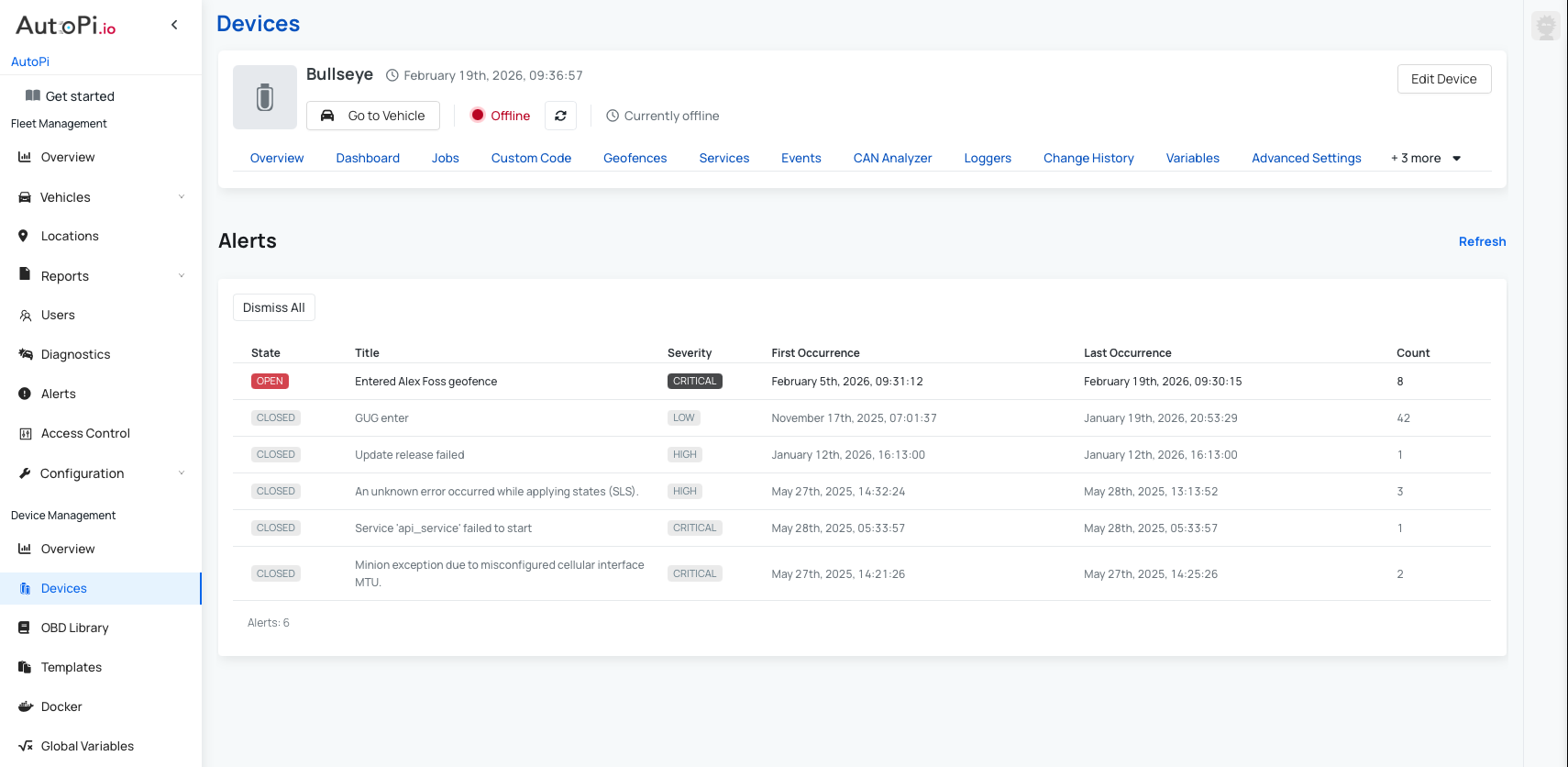
Dismissing an Alert
You can dismiss an alert when it does not require further action, such as in the case of a known condition or a false positive.
When an alert is dismissed:
- It remains available in the alert history.
- You can still see when it was triggered and when it was dismissed.
This helps keep your active alerts list focused while preserving a complete historical record.
 Buy AutoPi device
 Compare all AutoPi devices
 Contact our sales team
 Contact our support team