Notification Channels


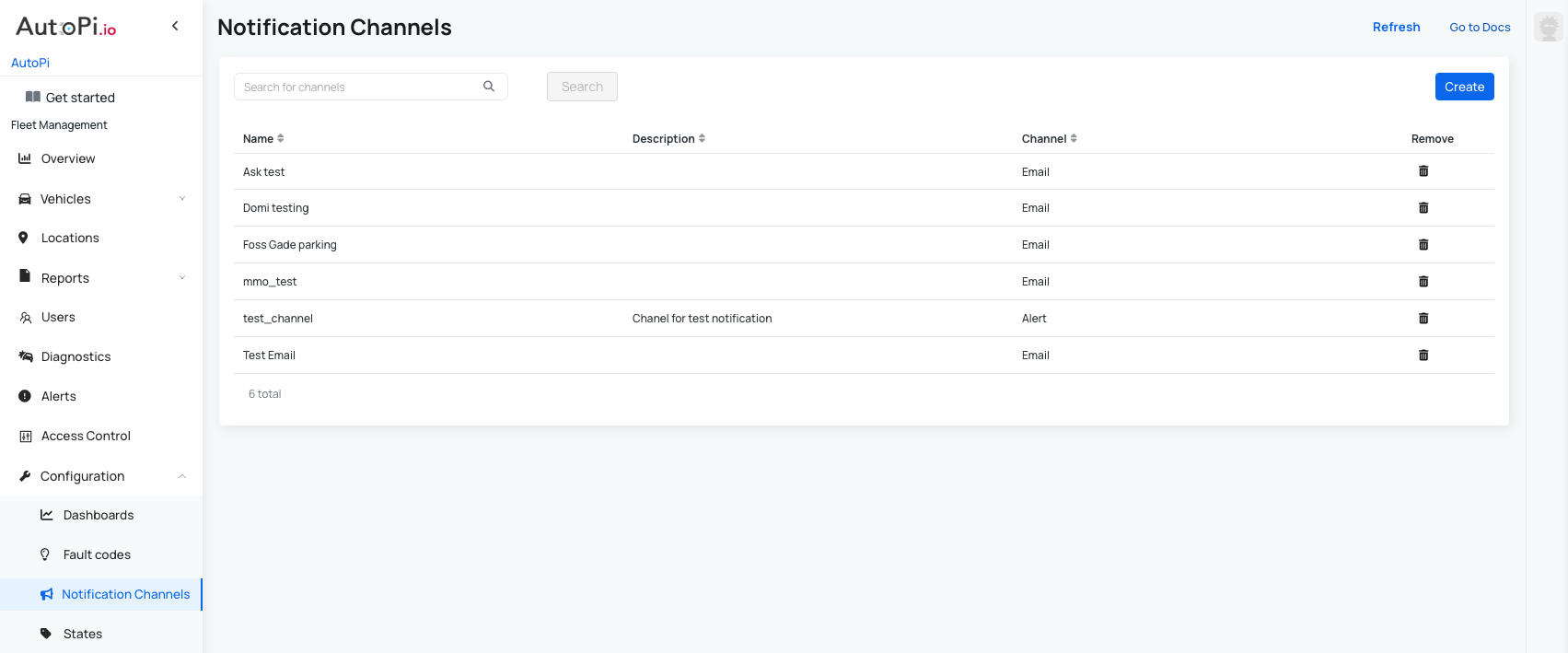
Under configurations you can find Notification Channels. Here you can create a notification channel, that you can later apply in different parts of the platform, most commonly in Geofences - for example to be notified when your vehicle is leaving and entering a specific geofence.
You configure each notification channel only once here, and then reuse it across Fleet Management features such as Geofences, Locations, and Fault Code creation.
Default notification channels
When your account has been created, some default Notification Channels have been set for you:
- Low Alert - create low alert under Alerts
- Medium Alert - create medium alert under Alerts
- High Alert - create high alert under Alerts
- Critical Alert - create critical alert under Alerts
- Email - send email to Customer's email; learn more about customers and users here: Accounts
Creating a Notification Channel
You can edit the default channels or create new ones to match your workflow.
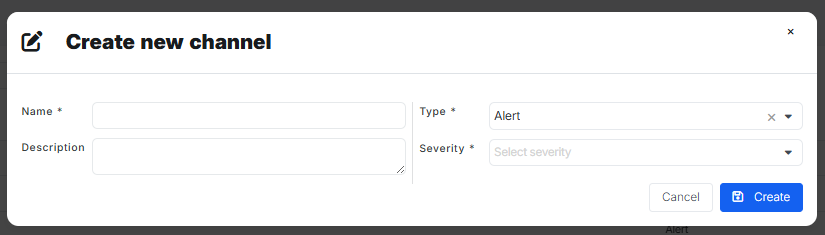
- Click Create in the Notification Channels table.
- Fill in the channel details:
- Name (required): a clear name for the channel.
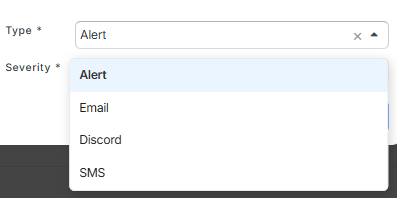
- Type (required): choose how notifications are delivered (for example, Alert, Email, Discord webhook, or SMS).
- Description (optional): additional context about when this channel should be used.
- Click Create to save the new channel.
After a channel is created, it becomes available as a reusable notification option in:
Types of notification channels
We currently support several types of notification channels. You can set up one or multiple channels at the same time. This way, you can stay informed in the way that suits you best! Here’s a quick overview:
- Alert: creates an alert in the AutoPi Cloud. You can choose from different severity levels: low, medium, high, or critical.
- Email: sends an email to the specified address. You can also add CC and BCC to include multiple recipients.
- Discord: use a webhook ID and token to receive notifications directly in your Discord server.
- SMS: add a phone number to receive notifications via text message.
 Shop AutoPi devices
 Compare devices
 Contact sales
 Contact support