Caterpillar 14 PIN J1939 to OBD-II Adapter Cable


Introduction
Do you need to connect your AutoPi device to a Caterpillar heavy-duty vehicle for J1939 diagnostics or data logging?
The Caterpillar 14 PIN J1939 to 16 PIN OBD-II Adapter Cable fits many Caterpillar heavy-duty vehicles — including loaders, construction machinery, and mining vehicles — and lets you easily connect your AutoPi device to start reading J1939 data. Simply locate the 14-pin diagnostic port in your vehicle, typically found in the cabin, and plug in the cable.
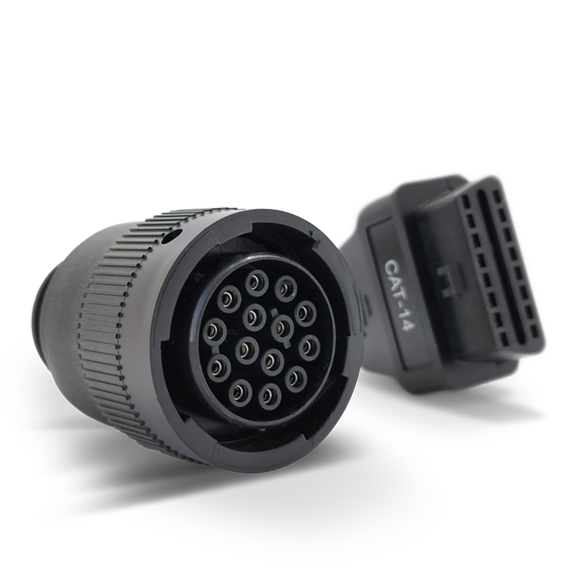
The cable features a plug-and-play design for quick and secure connections, and is constructed with premium materials built for heavy-duty environments.
This adapter cable can be purchased through the AutoPi shop: Caterpillar 14 PIN J1939 to 16 PIN OBD-II Adapter Cable.
Specifications
| Property | Details |
|---|---|
| Compatibility | Caterpillar engines with a 14 PIN diagnostic port |
| Connector Types | 14 PIN (male) to 16 PIN OBD-II (female) |
| Protocol Support | J1939 for vehicle diagnostics |
| Durability | Premium materials for heavy-duty use |
| Ease of Use | Plug-and-play design |
Pinout
| AutoPi Function | Caterpillar 14 PIN | OBD-II 16 PIN |
|---|---|---|
| CAN High | Pin A | Pin 6 |
| CAN Low | Pin D | Pin 14 |
| Power | Pin B | Pin 16 |
| GND | Pin C | Pin 5 |
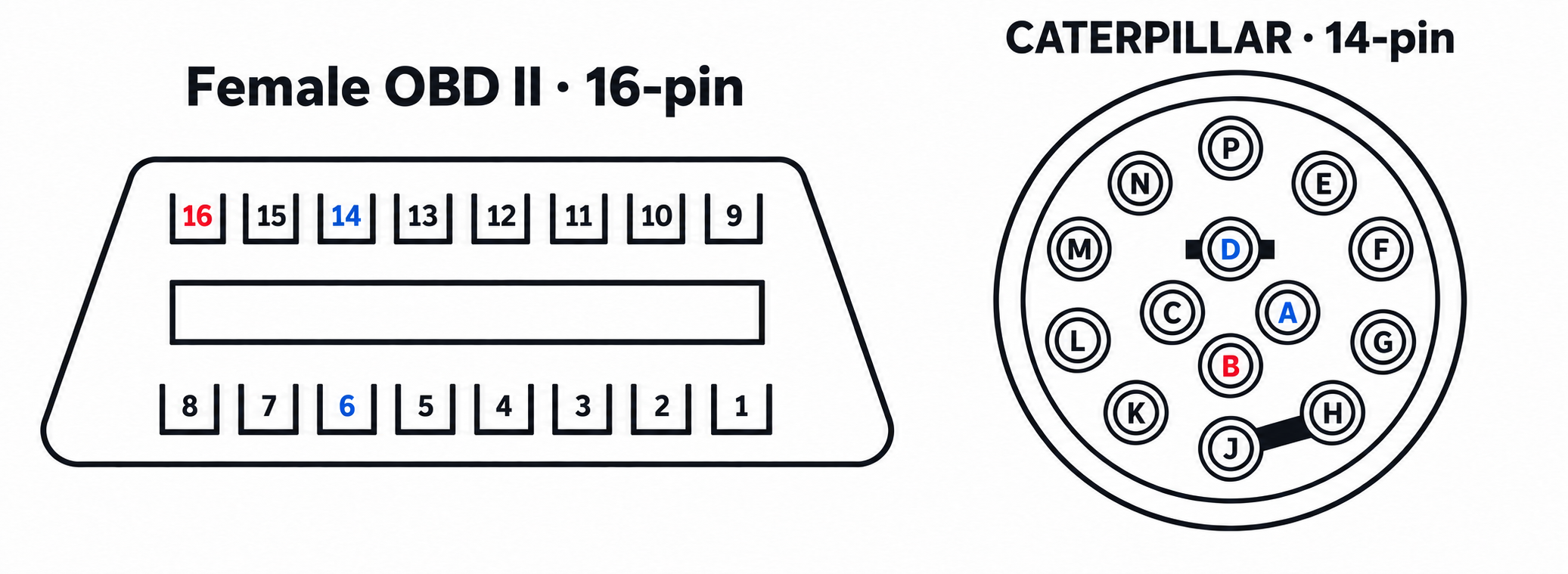
The pinout above is based on the standard J1939 to OBD-II mapping. Refer to your Caterpillar engine documentation for any model-specific variations.
 Shop AutoPi devices
 Compare devices
 Contact sales
 Contact support