September 2026
New Features
Asset Types
Where to find it: Configuration → Asset Types.
You can now create and manage Asset Types and associate vehicles with a specific asset type. This makes it easier to organize your vehicles and identify them based on their type.
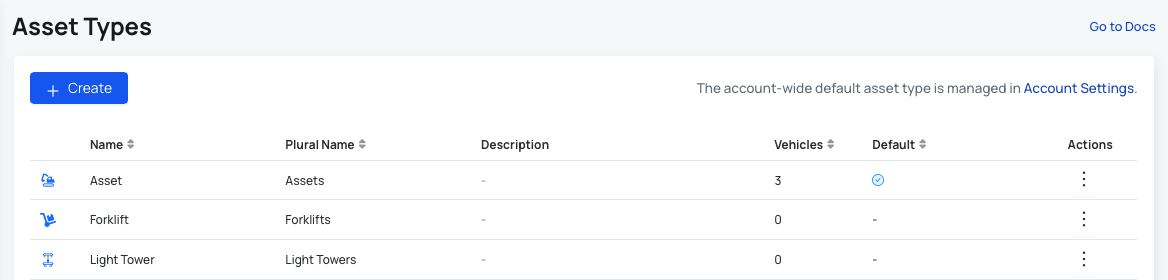
All asset type related changes (creating and editing) are available only to users with Account Administrator permission. Read more here: User Permissions.
Read more about how to use this new functionality here: Asset Types Guide.
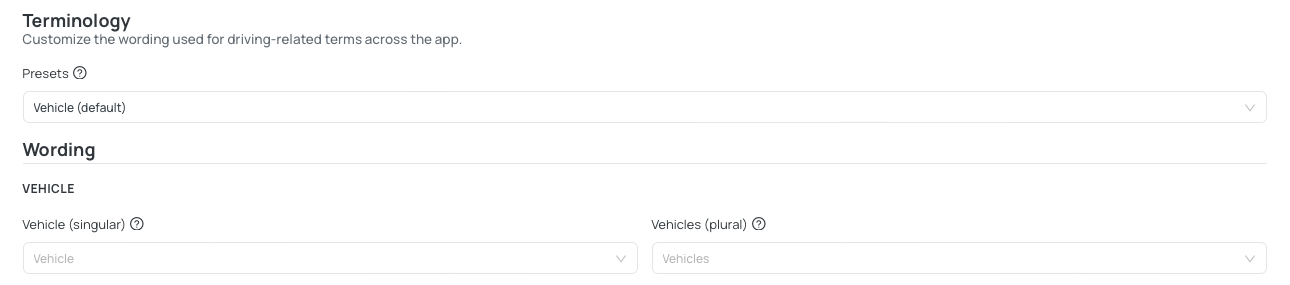
Terminology
Where to find it: Accounts → Terminology.
On this page, you can customize wording for driving-related terms across the app and for the vehicle itself. Select terms from dropdown options, or create custom terms.
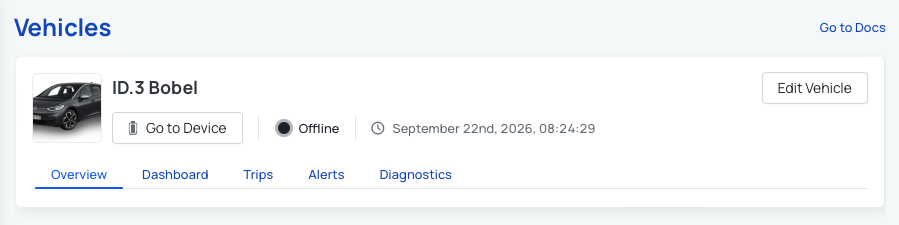
Vehicle avatar
Where to find it: Vehicles List → pick a Vehicle → Edit Vehicle → Avatar: upload.
You can add a vehicle avatar image for your vehicle. Once the image is uploaded, it shows up on the Overview page.
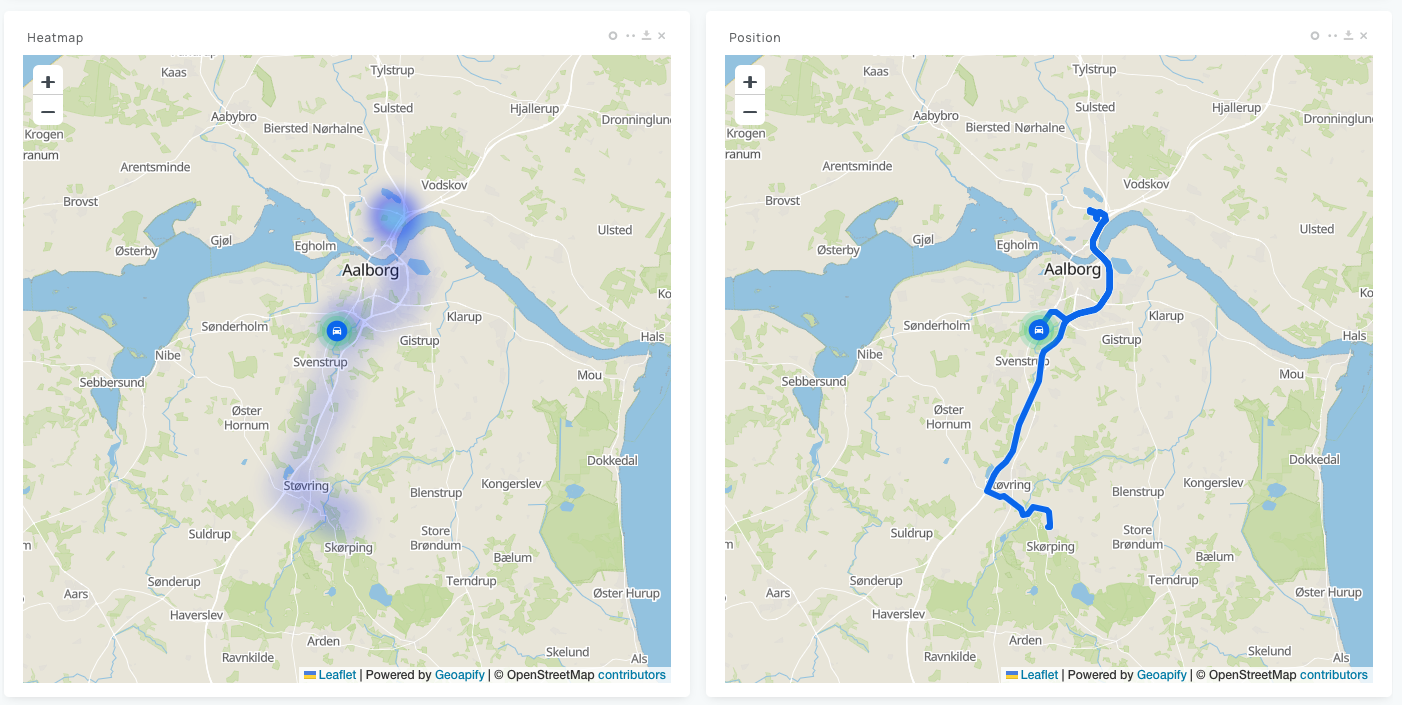
Position map widget: show or hide event overlays
Where to find it: Device/Vehicle → Dashboard → Position widget → Edit → Show event overlays.
You can now choose whether events should be displayed on top of the position widget on the map. Simply disable this option if you prefer a cleaner map without event markers displayed on top of the position widget.
GPS filtering for smooth positions
Where to find it: Device → Advanced Settings → Tracking → Stable Mode.
GPS filtering now provides better calculation of smooth GPS positions, helping to reduce noise and inaccuracies in location data. This is particularly useful when your device is parked or stationary, where GPS signals can be unstable.
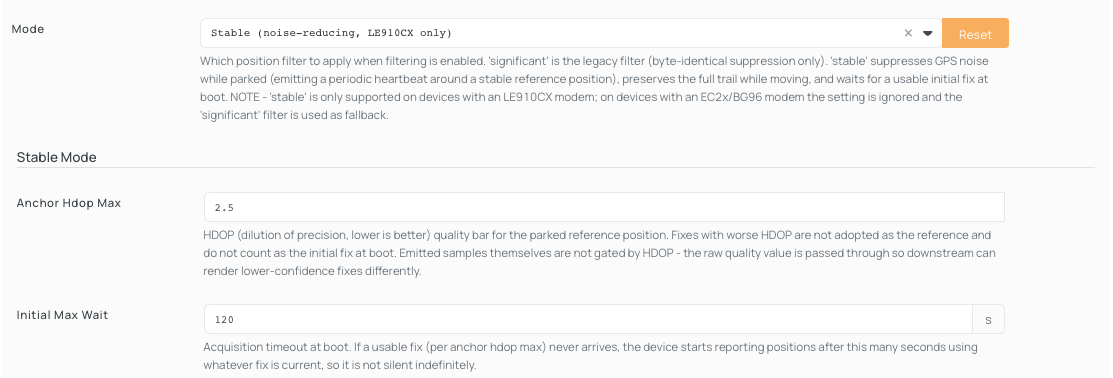
If your device is experiencing issues with GPS positions when parked or in similar conditions, we recommend the following settings:
- Mode - Stable (noise-reducing, LE910CX only).
- Standstill Emit Distance - 40.
- Sog Moving Threshold - 5.
PGN logging support
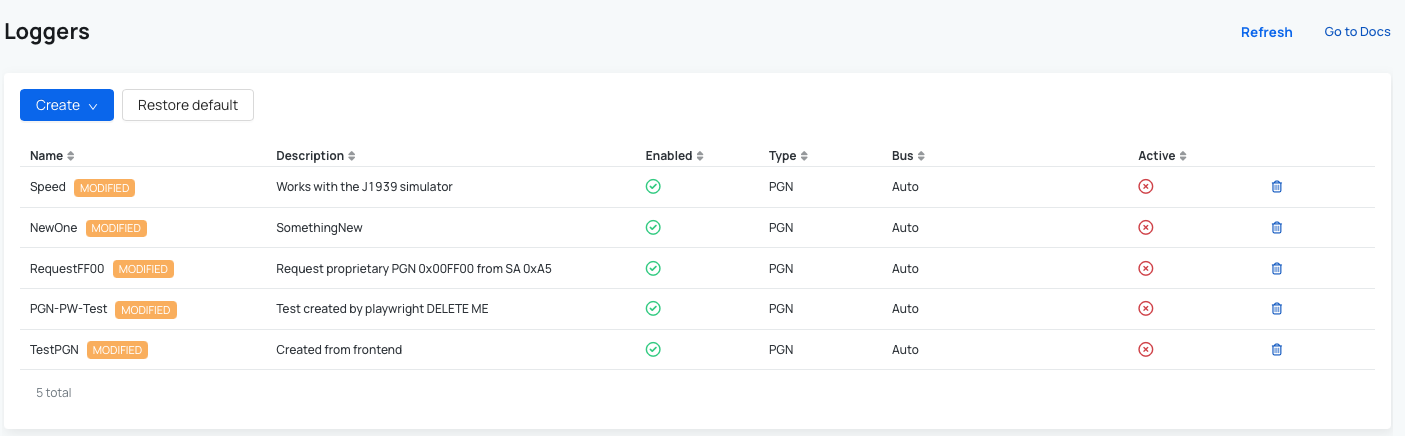
Where to find it: Device → Loggers → Create: PGN.
PGN logging is now supported in the device logger. You can now create a PGN logger in addition to the existing PID and CAN loggers.
More information in CSV exports
Where to find it: Vehicles List → pick a Vehicle →Dashboard → Download all data or Download CSV on widget.
Dashboard CSV exports now include two additional columns:
- Widget – shows which dashboard widget the data comes from.
- Field name – shows the specific field the data represents.
This makes exported data easier to identify and work with.

More control over Redis buffering
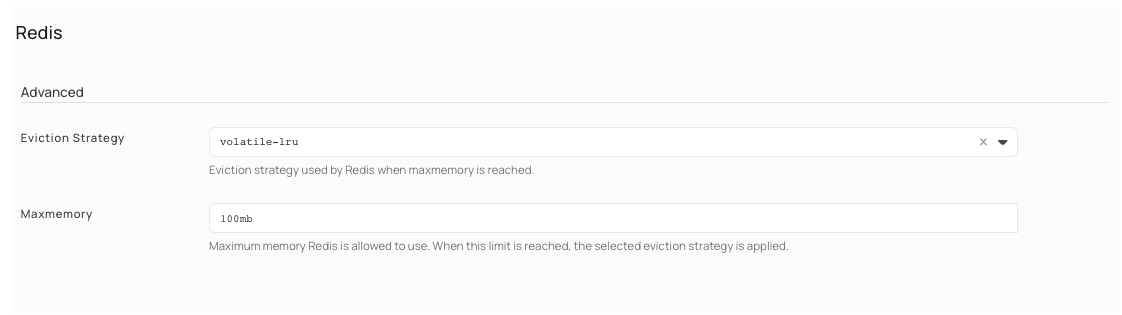
Where to find it: Device → Advanced Settings → System → Redis → Maxmemory.
A new Redis setting gives you more control over how data is buffered in the system.
For a full list of all changes, see the September 2026 Changelog.
 Shop AutoPi devices
 Compare devices
 Contact sales
 Contact support